Favourite questions
Favourite questions: keep the ones you want to see again
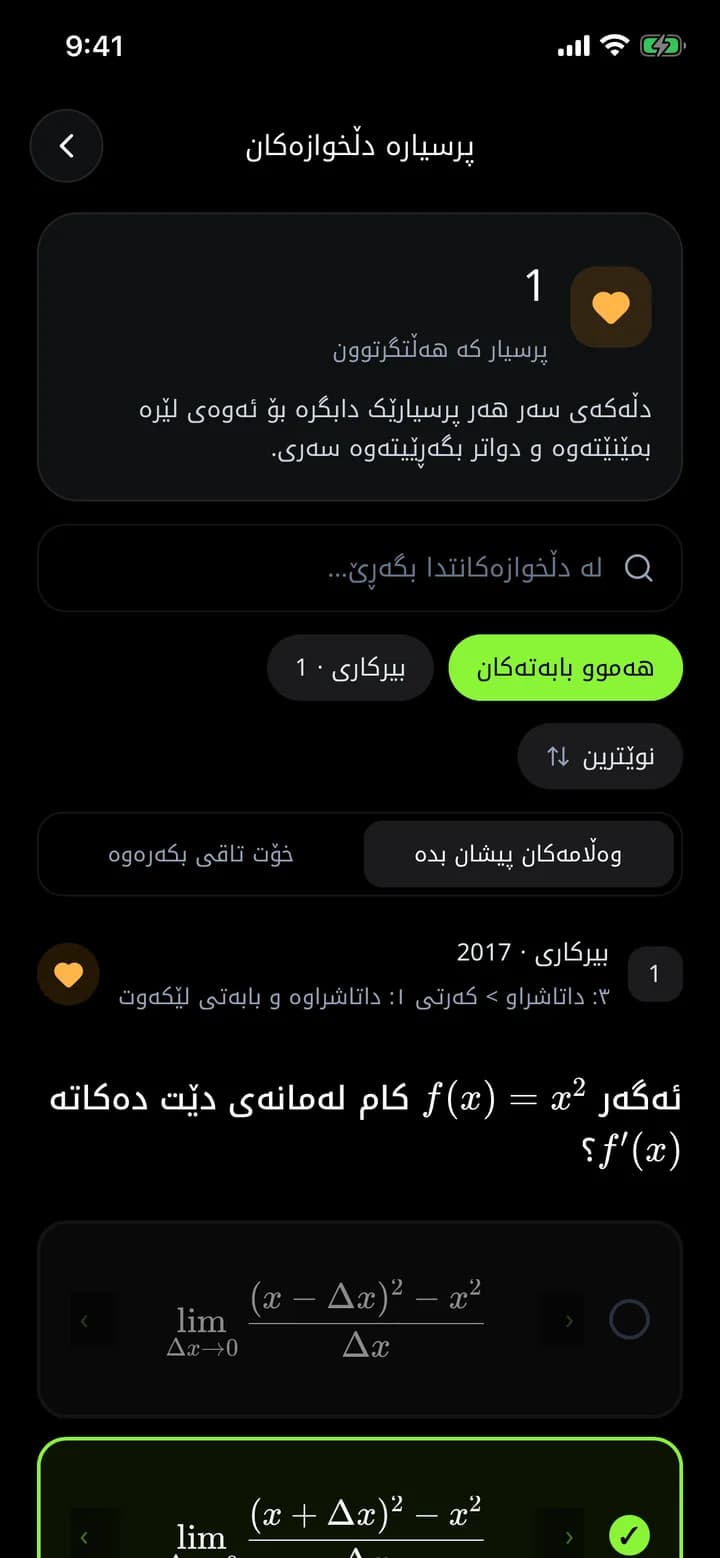
Every question in Azmoon has a heart: on exam results, quick questions, common mistakes, search, explanations and in the AI tutor chat. All your favourites are collected in one place, with search and filters for subject, chapter and year.
What you get
Hearts everywhere
Whenever you see a question you want to revisit, tap its heart.
Filters and search
Filter by subject, chapter and year, or search inside your favourites.
Two modes
"Show answers" to review, or "Test yourself" to answer them again.
How it works
- 1
Tap the heart on any question.
- 2
Open Favourite questions from the home screen.
- 3
Choose review mode or test-yourself mode.
Frequently asked questions
How many questions can I save?
Up to 2,000, which is plenty for a whole school year.
Related features
Common mistakes
See the ministerial questions the most students get wrong, with how many times each was missed and an explanation. Learn the traps before exam day.
Learn moreFlashcards
5,000+ ready-made flashcards for grade 12 subjects, organised by textbook chapter. Review on the bus, on the way home or before bed.
Learn moreAI explanations
For every ministerial question in Azmoon, see step by step why the answer is right and why the other options are wrong, with real formulas and similar questions.
Learn more
This year is your year
Download Azmoon and look around before you create an account.