Teacher notes
Teachers' notes, short and clear
The notes section (مەلزەمەکان, "malzama") holds teachers' notes and lessons in a reader built for phone screens instead of long PDFs. Rules and tips sit in coloured boxes, key words are highlighted, formulas are typeset properly, and notes include diagrams and links to related lessons.
What you get
Built for phones
No pinching and zooming a PDF; the text fits your screen.
Rule and tip boxes
Rules, definitions and common mistakes sit in coloured boxes that are easy to find.
Formulas and diagrams
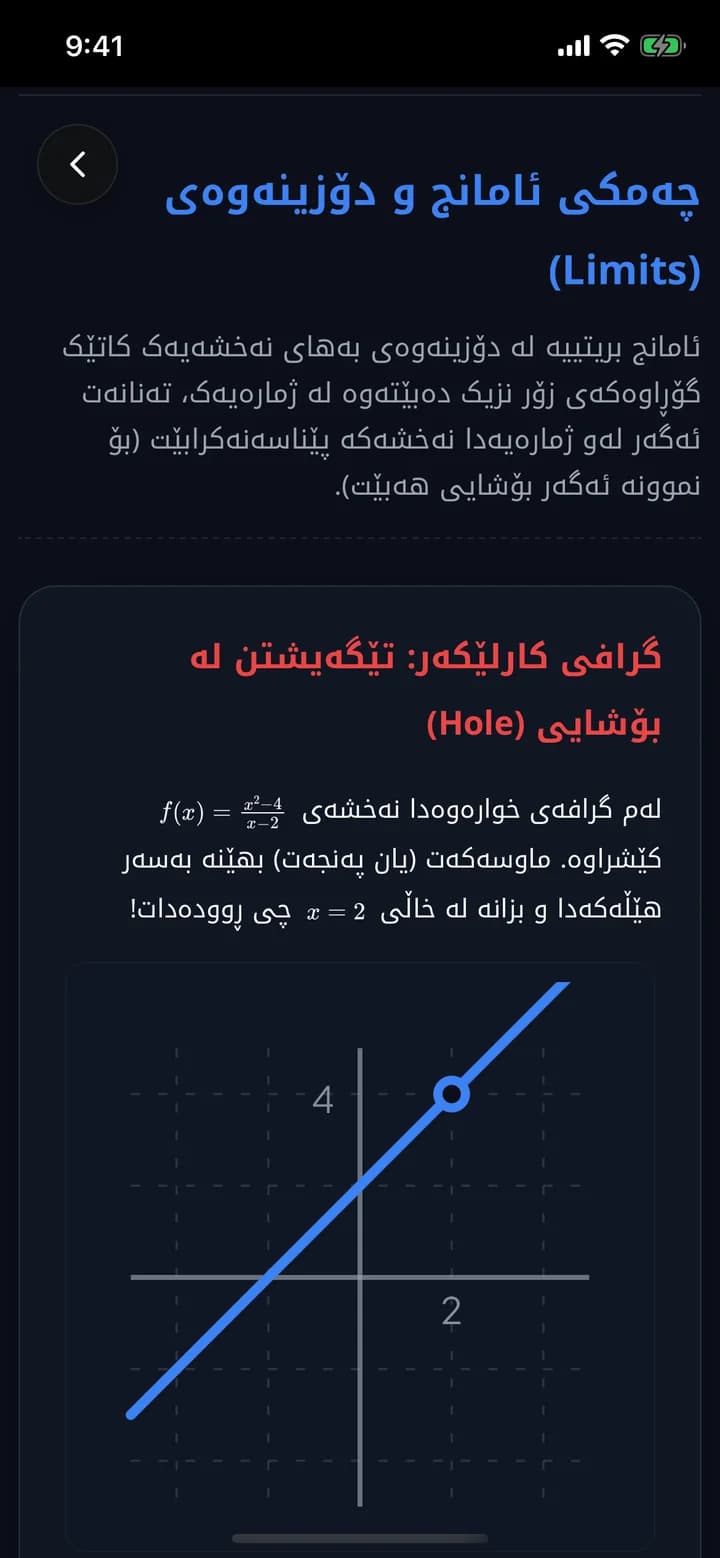
Real math, tables and graphs, like the limits note in the math course.
Reading time
You know how many minutes a note takes before you start.
How it works
- 1
Open the notes section from the home screen.
- 2
Pick your subject and teacher.
- 3
Read the note and follow its links to related lessons.
Frequently asked questions
How do teachers add notes?
Teachers upload their notes in Azmoon's dashboard, including notes written in Obsidian, and students read them in the app.
Related features
Flashcards
5,000+ ready-made flashcards for grade 12 subjects, organised by textbook chapter. Review on the bus, on the way home or before bed.
Learn moreAI tutor
Type a question or snap a photo and ask Azmoon's AI tutor about math, physics, chemistry, biology or English, with follow-ups and practice questions.
Learn moreAI explanations
For every ministerial question in Azmoon, see step by step why the answer is right and why the other options are wrong, with real formulas and similar questions.
Learn more
This year is your year
Download Azmoon and look around before you create an account.