Ministry-style paper and SOMA scan
Print a ministry-style exam and scan your SOMA answer sheet
The real ministerial exam is on paper with a SOMA (bubble) answer sheet. In Azmoon you pick a subject and the app makes a PDF of ministerial questions plus a SOMA sheet. Print it, fill it in with a pencil, then scan the sheet with your phone camera to get your grade.
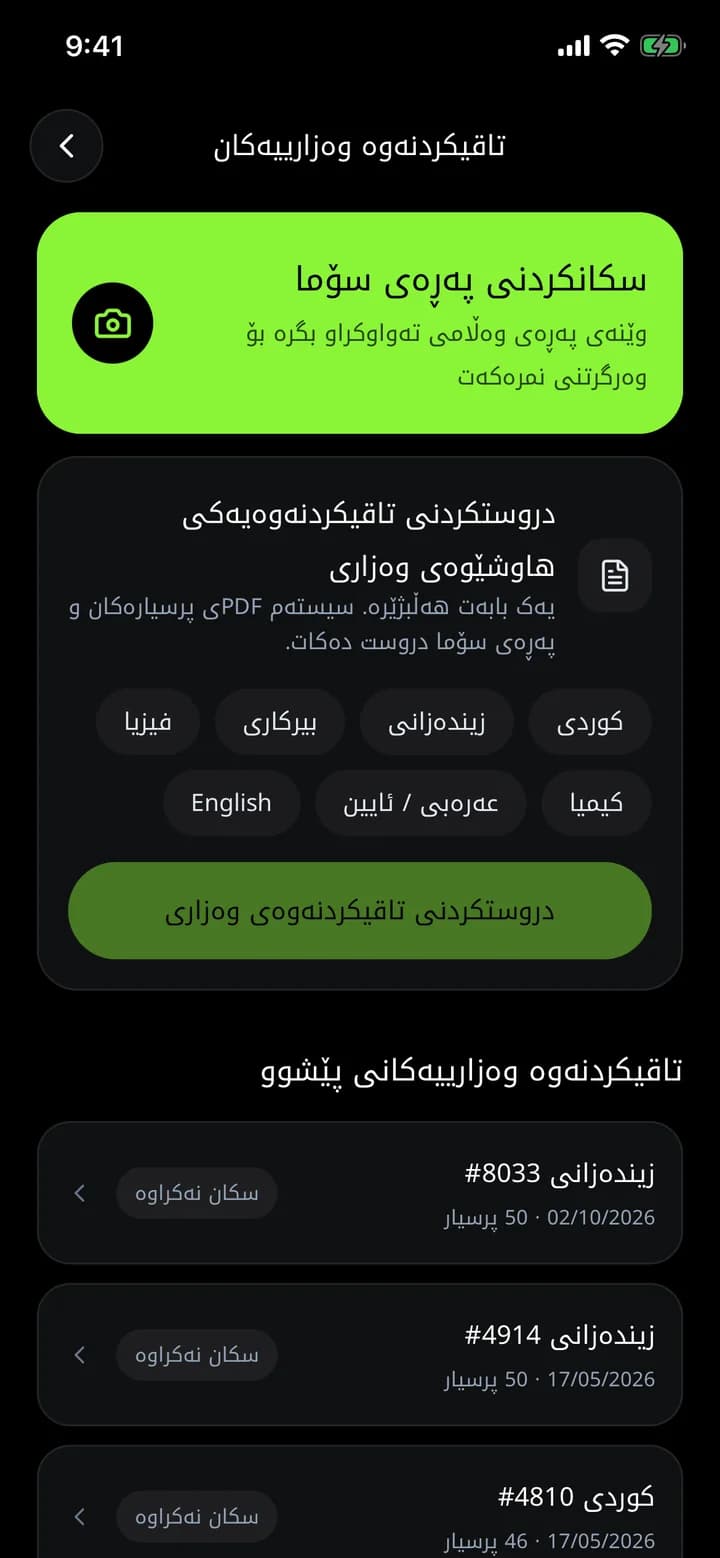
What you get
Exactly like exam day
Practise at home on paper with a SOMA sheet, the way you will sit the real exam.
Scan with the camera
Photograph the SOMA sheet and Azmoon reads your answers and grades them.
All your papers
Every paper you made and its grade are kept in one list.
How it works
- 1
In the Exams tab, choose "Create a ministry exam".
- 2
Pick a subject and download the PDF.
- 3
Print it and answer with a pencil.
- 4
Tap "Scan SOMA sheet" and get your grade.
Frequently asked questions
Why practise on paper?
Because the ministerial exam is on paper with a SOMA sheet. Practising the same way reduces bubbling mistakes and trains your timing.
Related features
Custom exams
Pick the subject, chapters, years and question type, and Azmoon builds a practice exam from ministerial questions, with a question map and detailed results.
Learn moreMinisterial question archive
34,000+ grade 12 questions from past Kurdistan Region ministerial exams, by subject, year, exam round and chapter. Practise like the real exam, with AI explanations.
Learn moreDaily and weekly exams
Join Azmoon's public daily and weekly exams and see your rank among grade 12 students in the Kurdistan Region.
Learn more
This year is your year
Download Azmoon and look around before you create an account.