Quick questions and similar questions
Quick questions: one at a time, with "more like this"
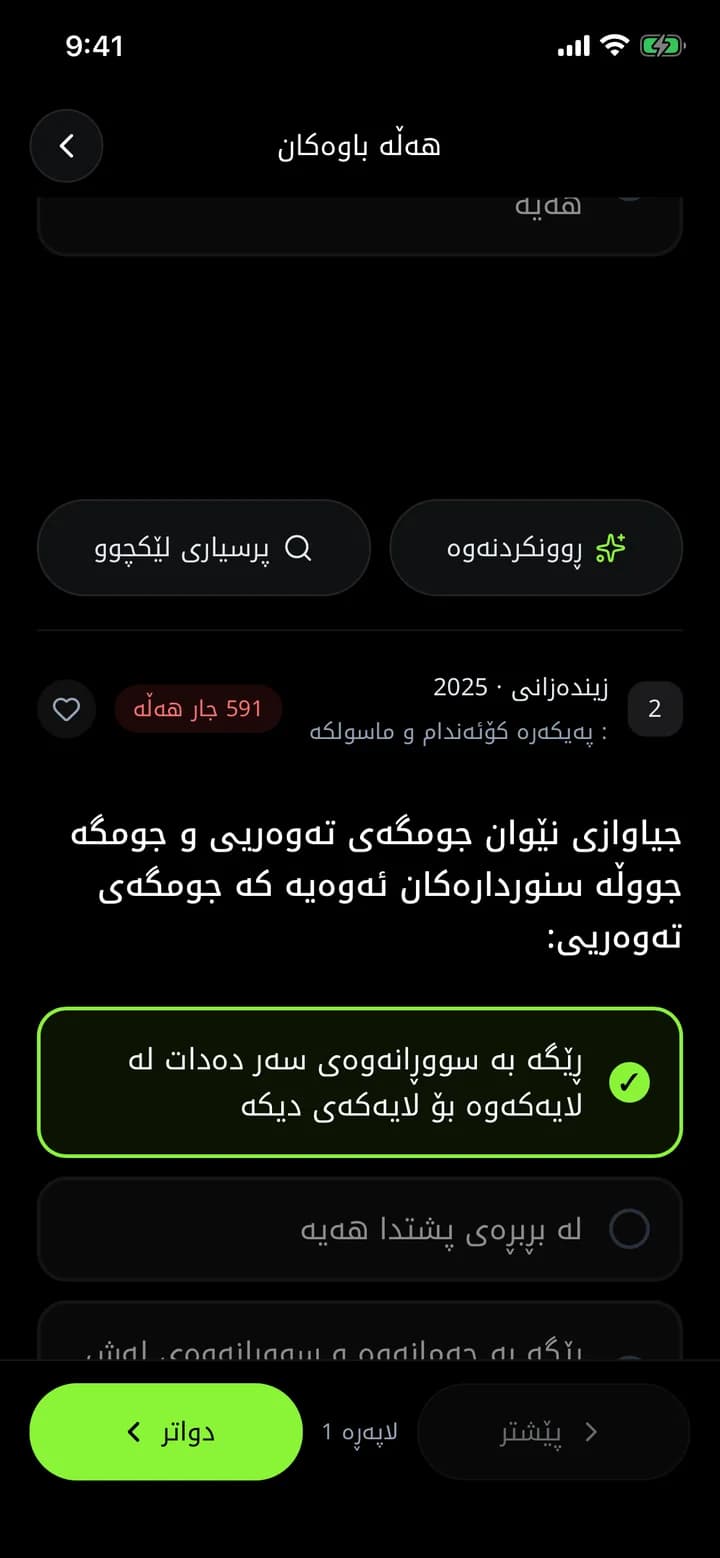
Quick questions are for when you only have a few minutes: pick chapters, ministerial questions come one at a time, and each answer is marked right or wrong immediately. "More like this" brings the closest question you have not seen yet.
What you get
Instant feedback
Know right away whether each answer is right or wrong.
More like this
After a mistake, get a similar question you have not seen before.
Session summary
At the end, see your score, right and wrong answers and time.
How it works
- 1
Open Quick questions from the home screen.
- 2
Pick a subject and chapters.
- 3
Answer, and tap "More like this" after a mistake.
Frequently asked questions
How are quick questions different from custom exams?
Quick questions show each answer immediately; a custom exam works like the real exam and shows results at the end.
Related features
AI explanations
For every ministerial question in Azmoon, see step by step why the answer is right and why the other options are wrong, with real formulas and similar questions.
Learn moreMinisterial question archive
34,000+ grade 12 questions from past Kurdistan Region ministerial exams, by subject, year, exam round and chapter. Practise like the real exam, with AI explanations.
Learn moreStudy targets
Set daily or weekly targets: questions, correct answers, study time, exam score and more. Watch your streak and do something every day.
Learn more
This year is your year
Download Azmoon and look around before you create an account.